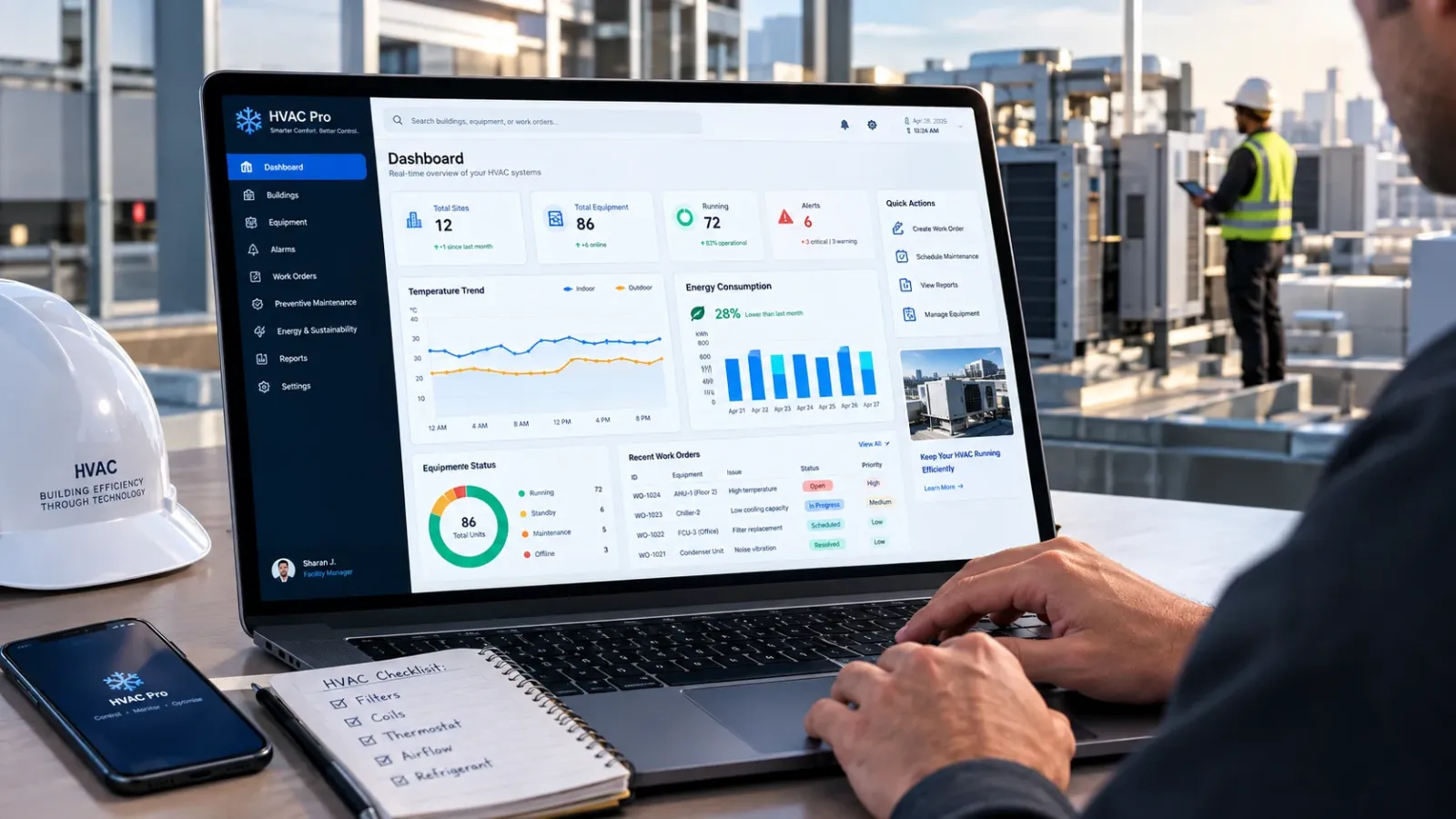
A two-truck HVAC shop in Phoenix missed 31 calls last July. Peak season, phones ringing, nobody in the office. That's roughly $18,000 in repair work that went to a competitor down the road. The owner wasn't lazy. He was on a roof. This is the exact problem HVAC software was built to fix.
Most shops run the office on some mix of paper tickets, a whiteboard and one person's memory. It works until it doesn't. Jobs get double booked, invoices go out three weeks late and maintenance agreements quietly expire. The money leaks out in small amounts, which is why so few owners notice until year end.
The right platform, paired with a real CRM for HVAC companies, changes the math. Calls get booked, techs get dispatched, invoices go out the same day. In this blog, we will compare the best HVAC software for 2026, break down honest pricing and walk through how to pick one without regretting it.
Quick Answer
The best HVAC software combines scheduling, dispatch, invoicing and a built-in CRM in one platform. Jobber and Housecall Pro fit small residential shops, ServiceTitan suits large operations and BuildOps or ServiceTrade work best for commercial contractors. Expect to pay roughly $39 to $300 plus per user monthly.
Key Facts
-
Entry pricing starts around $39 per month for a solo plan on Jobber and climbs past $500 monthly for 15-user team tiers.
-
Housecall Pro's Basic plan runs $59 monthly on annual billing, but most shops end up on Essentials at $149 for five users.
-
ServiceTitan, FieldEdge, BuildOps and ServiceTrade all use quote-based pricing, usually with annual contracts attached.
-
Typical implementation takes 30 to 90 days, covering data migration, price book setup and technician training.
-
Card processing fees hover around 2.9% plus 30 cents per transaction on most platforms.
-
Maintenance agreements managed inside the CRM renew and bill automatically, which is where the steadiest revenue sits.
What Is HVAC Software, Really?
Ask ten owners what runs their shop and you get ten different answers. A calendar here, QuickBooks there, a stack of carbon-copy invoices riding around in the truck. HVAC field service management software pulls all of that into one system. A call comes in and becomes a job. The job gets scheduled, a tech gets dispatched, the work gets documented with photos and the invoice goes out before the truck leaves the driveway.
The category covers scheduling, dispatch, estimates, invoicing, payments, customer records and reporting. Some platforms bolt on marketing, consumer financing and AI call answering. Others stay lean on purpose.
What it is not: accounting software. Nearly every serious platform syncs with QuickBooks rather than replacing it. And it is not a magic fix for a disorganized shop. Software mirrors your process. If your dispatch logic lives in one person's head, the first month of setup will be uncomfortable. Worth it, but uncomfortable.
HVAC Business Software vs HVAC Design Software: Know Which One You Need
Search for HVAC software and two completely different product categories show up in the same results. This trips up a lot of first-time buyers.
Business platforms like Jobber or ServiceTitan run the company: booking, dispatch, billing, customer records. That is what this guide covers.
Design and engineering tools do something else entirely. Wrightsoft and Cool Calc handle Manual J load calculations. Carrier HAP and Trane TRACE 3D Plus model building loads and equipment sizing for engineers. Autodesk CFD simulates airflow. A third bucket, building automation systems like Siemens Desigo CC or Johnson Controls Metasys, controls equipment inside large facilities.
A residential contractor might use a light load calc tool for sizing and a business platform for everything else. Buying an engineering suite to run a service company happens more often than you'd think. Usually once.
The Features That Earn Their Keep
Feature lists all look the same on vendor websites. Forty checkboxes, all green. What separates platforms is how well six core areas hold up under pressure, on a Friday in July, with three no-cool calls in the queue. Judge every demo against these.
Scheduling and Dispatch That Keeps Trucks Moving
Good HVAC scheduling software shows the whole day on one board. Who is where, what is booked, which tech has slack. Dispatchers drag jobs onto techs, the tech's phone buzzes and the customer gets a text with an arrival window.
The details matter more than the demo suggests. Look for GPS so dispatch can see trucks on a map instead of calling to ask. Look for capacity views that stop double booking before it happens. Route grouping saves real money too. One Nashville shop cut about 40 minutes of drive time per tech per day just by clustering same-neighborhood calls.
Most HVAC dispatch software handles emergencies with a priority flag and a nearest-tech view. If reshuffling a day takes more than a minute in the demo, it will take five under pressure.
Estimates, Invoicing and Getting Paid On Site
The gap between finishing a job and sending the invoice is where cash flow dies. Paper-based shops routinely run two to three weeks behind on billing. Then another two weeks waiting on checks.
HVAC invoicing software closes that gap to minutes. The tech finishes, converts the estimate to an invoice on the phone and the customer taps a card or signs for financing before the truck leaves. Card fees run around 2.9% plus 30 cents on most platforms and owners grumble about it, but getting paid same-day beats chasing a $4,800 check through October.
Two things to check: good-better-best proposals, which quietly raise average ticket because customers pick the middle option more often than not. And financing offers built into the estimate screen for those $12,000 system replacements.
CRM for HVAC Companies: Equipment History Is the Goldmine
A generic CRM stores names and phone numbers. A CRM for HVAC companies stores the thing that actually makes money: the equipment.
Every unit gets a record. Model, serial, install date, refrigerant type, every repair ever done on it. When Mrs. Alvarez calls about a noise, the CSR sees the 2014 condenser with two compressor repairs already on file. That call gets handled differently. It probably becomes a replacement conversation worth $9,000 instead of another $600 band-aid.
Equipment age is also the best sales trigger in the trade. Units 12 to 15 years old, no maintenance agreement, last serviced 18 months ago: that filtered list is a replacement campaign waiting to happen. Most shops sit on this data for years without running a single report against it. The competitors who do run it eat well.
Service Agreements and Recurring Revenue
Maintenance agreements smooth out the brutal seasonality of this trade. January and October stop being ghost towns when 400 members need tune-ups.
The software side matters because manual agreement tracking falls apart past about 50 members. Renewals get missed, visits get skipped and members quietly churn. A good platform bills the membership automatically, schedules the spring and fall visits and flags lapsed members before they lapse.
The economics are hard to argue with. Members call you first, decline fewer repairs and convert to replacements at higher rates. One Ohio shop I watched grow ran 60% of its winter revenue off agreement work alone. The trucks stayed busy while competitors sent techs home.
The Mobile App Your Techs Will Actually Use
Techs decide whether software adoption succeeds. Not the owner. If the app is slow or confusing, they revert to texting the office within a week and your new system becomes an expensive calendar.
The bar: job details, equipment history and the price book, all reachable in two taps. Photo capture that attaches straight to the job. Signature capture for approvals. And offline mode, because basements and mechanical rooms kill cell signal and a tech who can't pull up the job while standing in front of the customer will not trust the app again.
Ride along during the free trial. Watch a tech use it with gloves on. That test tells you more than any feature chart.
Job Costing and Reports That Tell the Truth
Plenty of shops discover their biggest jobs lose money. Big install, big invoice and once you count 46 labor hours, three supply-house runs and a callback, the margin is gone.
Job costing catches this while it can still be fixed. The platform tracks labor hours and materials against each job, then shows gross margin per job, per tech and per job type. Patterns show up fast. Maybe change-outs sold by one comfort advisor consistently run 30% over on labor. Maybe your service rate hasn't kept up with what techs cost now.
Reports worth checking weekly: revenue per tech, close rate on estimates, agreement renewals and unsold estimate follow-ups. Skip the vanity dashboards.
Automate Your Field Ops: What to Hand Off First
Automation in this space is not robots. It is the boring follow-through nobody has time for, done by the system, every single time.
Start with appointment reminders. A confirmation text at booking, a reminder the day before, an on-my-way text with the tech's photo. No-show rates drop hard and CSRs stop spending mornings on confirmation calls.
Then unsold estimates. Somewhere around 30 to 40% of estimates never get a follow-up call in shops that bother to track it, which is a quiet fortune left on the table. An automated sequence at day three, day seven and day fourteen revives deals the office forgot existed.
Then the money side: invoice on job completion, payment reminders at set intervals, review requests after every closed job.
Newer platforms push further. Workiz sells an AI dispatcher that answers after-hours calls and books jobs while you sleep. Jobber added an AI receptionist that picks up when you can't. Early days for both, but missed calls are the most expensive leak in the trade, so the direction makes sense.
The 7 Best HVAC Software and CRM Platforms for 2026
No platform wins every category. The honest way to shop is by segment: shop size, residential versus commercial mix and how much process your team can stomach. Pricing below reflects vendor pages and published breakdowns as of mid-2026. It moves often, so confirm current numbers before you sign anything.
1. ServiceTitan: Built for Big Shops With Big Budgets
ServiceTitan is the platform the largest residential and commercial shops standardize on. Call recording tied to bookings, deep marketing attribution, capacity planning, payroll, inventory. If a workflow exists in a 60-truck operation, ServiceTitan probably models it.
The trade-off is weight. Pricing is quote-only, billed per technician on annual contracts and owners commonly report totals of several hundred dollars per tech monthly once modules stack up. Implementation runs months, not weeks and someone on staff has to own the system or you will use a tenth of what you pay for.
Best for: shops with roughly 10 or more trucks, a full office team and real growth plans. Skip if: you have three techs and no office manager. You would be buying a 747 to cross the street.
2. Jobber: The Small-Shop Favorite
Jobber is where a lot of one-to-five-truck shops land and for good reason. Clean scheduling, solid quoting, same-day invoicing and a mobile app techs pick up without training. The QuickBooks Online sync is reliable.
Pricing is public, which is refreshing in this category. Solo plans start at $39 monthly, team plans run $169 to $599 depending on seats and extra users cost $29 each. Annual billing knocks those numbers down further. The catch is the per-user math: add-ons like the marketing suite and a few extra seats can push a growing team's bill past $600 before anyone notices.
Best for: residential shops under about eight techs that lead with quoting and want fast setup. Skip if: you run commercial contracts with asset-heavy maintenance schedules. That is not Jobber's game.
3. Housecall Pro: Residential Service, Minus the Headaches
Housecall Pro competes head-on with Jobber for the small residential market and wins on a few fronts: online booking, automated marketing emails and one of the better customer portals in the category.
Watch the plan structure, though. Basic runs $59 monthly on annual billing but, per published plan breakdowns, skips things most shops consider table stakes, including QuickBooks sync and GPS tracking. In practice the real entry point is Essentials at $149 for up to five users and popular add-ons push totals past $200 fast. Reviewers also flag the jump from one user straight to five with nothing in between.
Best for: residential service shops of two to eight people that want customer-facing polish. Skip if: you are price-sensitive and solo. The Basic plan will frustrate you into upgrading.
4. FieldEdge: Strong Back Office, Deep QuickBooks Ties
FieldEdge has been around HVAC longer than most of this list and it shows in the back office. Work order management, agreement tracking and a QuickBooks integration that runs deeper than the usual sync. Office managers who live in QuickBooks tend to love it.
The field side is capable but less slick than newer rivals and the interface looks its age in places. Pricing is quote-based, historically structured per office user and per field tech, so you will need a demo call to get numbers.
Best for: established shops with a strong office manager and a QuickBooks-centered workflow. Skip if: you want modern customer-facing touches like online booking front and center. Newer platforms do that part better.
5. BuildOps: The Commercial Contractors' Pick
BuildOps was built for commercial mechanical contractors from day one and it shows. Service work and projects live in one system, which matters when the same customer has a maintenance contract and a $250,000 install running at once. Quoting handles multi-phase work and reporting speaks the language of commercial margins.
Pricing is quote-based and aimed at operations with real technician counts, not two-truck shops. Implementation is a project in itself, so plan for it.
Best for: commercial HVAC and mechanical contractors juggling service departments and project work together. Skip if: you are residential-first. The workflows assume purchase orders, job phases and customers with procurement departments, which is overkill for tune-ups and change-outs.
6. ServiceTrade: For Commercial Teams Running 20 or More Techs
ServiceTrade focuses on commercial service contractors: mechanical, HVAC, refrigeration, fire protection. Its strength is recurring maintenance at scale. Asset records per rooftop unit, deficiency reporting with photos that turns inspections into quoted repair work and a customer portal that commercial clients actually log into.
Pricing is quote-based, charged per technician across three suites, with the entry suite starting around five techs. Published figures from earlier years sat near $89 per tech monthly, but current numbers require a sales call.
Best for: commercial contractors with 15 to 20 or more techs living off maintenance contracts. Skip if: you run residential demand service. The whole design assumes assets, inspections and contract obligations.
7. Workiz: Automation and AI Answering for Growing Teams
Workiz leans hard into communication. A built-in phone system, call tracking, two-way texting and an AI dispatcher add-on that answers after-hours calls and books jobs before a competitor picks up. For phone-heavy service businesses, that pitch lands.
There is a free Lite tier with tight caps, then paid plans that published breakdowns place roughly in the $187 to $325 monthly band for small teams, with extra users around $46 to $65 each. Phone minutes, SMS and AI features bill separately, so budget from a worksheet rather than the sticker price.
Best for: growing residential shops that win or lose on phone response speed. Skip if: you want simple, predictable per-month math. The add-on stack takes discipline to control.
How Much Does HVAC Software Cost?
Short version: anywhere from $39 to well past $300 per user monthly and the sticker price is maybe 70% of the real cost.
|
Platform |
Published entry point, mid-2026 |
Pricing model |
|
Jobber |
$39 per month, solo Core plan |
Public tiers, team plans $169 to $599, extra users $29 |
|
Housecall Pro |
$59 per month on annual billing |
Tiers with user caps, MAX plan quoted |
|
Workiz |
Free Lite tier, paid plans from about $187 |
Tiers plus phone, SMS and AI usage add-ons |
|
FieldEdge |
Quote only |
Priced per office user and per field technician |
|
ServiceTrade |
Quote only |
Per technician, entry suite starts near five techs |
|
BuildOps |
Quote only |
Commercial focus, quoted per operation |
|
ServiceTitan |
Quote only |
Per technician, annual contracts |
The rest of the real cost hides in add-ons, payment processing around 2.9% plus 30 cents per card transaction, onboarding fees and the office hours you burn on setup. A five-person shop should budget $200 to $500 monthly all-in for the mid-market tools. Enterprise platforms start well north of that.
One more pattern worth knowing: prices on these products creep up over time and the pain of switching is exactly what vendors count on. Negotiate at renewal like it matters, because it does.
How to Choose the Best HVAC Software for Small Business and Beyond
Feature comparisons will not make this decision for you. Fit will. The best HVAC software for small business owners is usually the one their techs adopt fastest, not the one with the longest feature list. Work through three filters before you talk to a single salesperson.
Match the Platform to How You Actually Work
Residential demand service, commercial maintenance contracts and new construction are three different businesses that happen to share a trade. Residential shops need speed: booking, dispatch, on-site payment. Commercial shops need asset records, inspection workflows and contract billing. Mixed shops need to pick which side drives revenue and choose for that side.
Also be honest about team size in two years, not today. Migrating platforms mid-growth is miserable. Most owners who do it say they waited a year too long to move.
Total Cost of Ownership, Not Sticker Price
Price the whole thing: subscription, per-user fees, add-ons you will realistically buy, payment processing on your card volume, onboarding fees and the office manager's month of setup time. Then compare that number across vendors, not the homepage price.
Ask each vendor for a written quote at your headcount today and at double it. The platforms that get expensive with growth reveal themselves immediately. And ask what happens to your data if you leave. Export options matter most on the day you stop being a customer.
Questions to Ask Before You Sign
Salespeople answer the questions you ask. Ask these:
-
What does implementation cost, who does the data migration and how long until my first dispatched job?
-
Is support live phone or ticket-only and what are the real response times?
-
Which features shown on the demo are add-ons billed separately?
-
How does the QuickBooks sync handle edge cases like partial payments and refunds?
-
What is the contract term and what do renewals historically increase by?
Get the answers in writing. Verbal promises from a sales call have a short shelf life.
Common Mistakes HVAC Companies Make When Buying Software
The same failures repeat across shops of every size.
Buying for the demo, not the Tuesday. Demos show perfect data and a rehearsed flow. Your reality is a customer with three properties, a warranty dispute and a tech who types with one thumb. Bring your messiest real scenarios to the demo and make the rep drive.
Skipping the price book setup. A platform with an empty or sloppy price book produces sloppy estimates. Shops that invest a week building flat-rate pricing up front see cleaner margins from month one.
Letting adoption happen by osmosis. It never does. Name an internal owner, train in the truck not the conference room and turn off the old system on a date everyone knows. Running two systems in parallel for six months is how you end up with neither.
And the big one: buying more platform than the business can operate. Unused software is the most expensive kind.
Key Takeaways
-
Match the platform to your segment first: Jobber and Housecall Pro for small residential, BuildOps and ServiceTrade for commercial, ServiceTitan for large operations.
-
Budget on total cost of ownership, not the sticker price. Add-ons, per-user fees and processing routinely add 30 to 70%.
-
The CRM and equipment history are where the long-term money is: replacements, agreements and repeat work.
-
Automate reminders, unsold estimate follow-ups and review requests first. Those three alone can pay for the software.
-
Technician adoption decides success. Test the mobile app in the field before you commit.
Final Take: Match the Software to the Shop
Picking HVAC software is less about finding the best platform and more about refusing the wrong one. A three-truck shop drowning in ServiceTitan's setup is worse off than it was on paper. A 30-tech commercial outfit squeezing itself into a starter tool bleeds margin every day.
Get the segment right, then get the basics right: scheduling and dispatch your office trusts, invoicing that goes out the same day and a CRM for HVAC companies that remembers every unit you have ever touched. Layer automation on top so reminders, follow-ups and agreement renewals run without anyone thinking about them.
Then commit. Set up the price book properly, train the techs in the field and shut the old system down. The shops that treat the rollout as seriously as the purchase are the ones still using the platform and out-earning their market, three years later. That part is on you, not the vendor.
Frequently Asked Questions
Can HVAC software run flat-rate and time-and-materials pricing at the same time?
Most platforms support both. You can build a flat-rate price book for standard repairs and keep hourly billing for diagnostics or unusual work. Technicians can select the pricing method for each line item, allowing one invoice to include both approaches.
How long does migrating customer data from spreadsheets usually take?
Plan for two to six weeks. Clean spreadsheet exports can be imported quickly, but messy records, duplicate customers, and equipment histories often require manual cleanup. Vendors may include basic migration while charging extra for equipment and agreement data.
Do office staff and technicians need separate paid licenses?
Usually yes. Most HVAC platforms charge per user regardless of role, although some bundle a set number of seats into each pricing tier. Some vendors price office users and field technicians differently, so confirm the license structure before comparing quotes.
Can dispatchers see technician locations without a separate GPS app?
On most modern platforms, yes. The technician mobile app can share location during work hours and display vehicles on the dispatch map. Some vendors include GPS only in higher-tier plans or require additional hardware, so verify which plan includes the feature.
What happens to my job history if I cancel the subscription?
You can normally export customers, jobs, and invoices as CSV files before access ends. Attachments and photos can be harder to export in bulk. Ask about export scope and data retention periods before signing a contract.
Can one account handle separate residential and commercial divisions?
Generally yes. HVAC software can use job types, custom fields, and separate price books for different divisions. Reporting can also separate residential and commercial revenue. Very different workflows, such as commercial projects with multiple phases, may require a platform designed specifically for commercial work.
How do maintenance agreement renewals get billed automatically?
You set the agreement term and billing cadence, such as monthly or annually. The platform can charge the card on file, email the receipt, and schedule included maintenance visits. Failed payments can trigger automated reminders instead of silent cancellations.
Will the mobile app work in basements with no cell signal?
Apps with offline mode can work without a cell signal. Job details, forms, and photos can be saved locally and synchronized when connectivity returns. Not every HVAC platform offers true offline support, so test the feature during the trial period.
Can I text customers appointment reminders straight from the platform?
Yes. Two-way texting is standard on many mid-market HVAC platforms. Automated reminders can be sent when an appointment is booked and before the technician arrives, while customer replies can be stored in the job record. Some vendors charge separately for SMS messages.
How does two-way QuickBooks sync avoid duplicate invoices?
The integration maps each platform invoice to a corresponding QuickBooks record using unique identifiers, allowing updates to modify existing records instead of creating duplicates. Problems can occur when historical data is imported more than once, so reconciliation is recommended during the first month.
Are e-signatures captured on estimates considered valid approval?
Electronic signatures are widely used for service approvals in the US, and HVAC platforms can store the signed record with a timestamp. For large installations, contractors may still pair an electronic signature with a detailed written proposal for additional clarity.
Can third-party or home warranty work orders flow into the system?
Some HVAC platforms accept dispatches from warranty networks and property management portals through integrations or email parsing, while others require manual entry. If warranty work represents a significant share of revenue, ask vendors to demonstrate the exact work-order intake process.
What hardware does the office need to run these platforms?
Usually, the office only needs a reasonably current computer, browser, and reliable internet connection because most HVAC platforms are cloud-based. Field technicians typically need iOS or Android phones. Optional hardware can include card readers and vehicle GPS devices.
How do seasonal price changes get pushed to the price book?
Most platforms support bulk price updates by percentage or category, allowing changes to be applied across the flat-rate price book at once. It is best to update pricing before peak season and archive the previous version so open estimates retain their quoted prices.
Can I control which prices and margins technicians see?
Yes. Role-based permissions can control what technicians can view. Technicians typically see customer-facing prices, while costs, margins, and financial reports remain restricted to administrators. Configure these permissions before launch because default settings may expose more information than expected.
What is a dispatch board in HVAC software?
A dispatch board is the live scheduling screen that shows technicians and their assigned jobs. Dispatchers can assign, move, and track work in real time. For example, a dispatcher can assign an emergency service call to the nearest available technician.
What is a price book in field service software?
A price book is a preloaded catalog of services, parts, and standardized prices. It ensures technicians can create consistent estimates. For example, a capacitor replacement can have one predefined flat price that includes parts and labor.
What is job costing in HVAC?
Job costing tracks labor, materials, and overhead against each individual HVAC job. It helps reveal actual profitability rather than revenue alone. For example, an installation generating $10,000 in revenue with $7,800 in costs produces a 22% gross margin.
What is a service agreement in HVAC?
A service agreement is a recurring contract covering scheduled HVAC maintenance visits, usually billed monthly or annually. It creates predictable revenue and can improve customer retention. For example, a residential plan may include spring and fall tune-ups with priority scheduling.
What is flat-rate pricing in HVAC?
Flat-rate pricing charges one fixed price for a repair task regardless of how long the technician takes. It replaces hourly billing with predictable, upfront pricing. For example, a blower motor replacement can have the same quoted price whether the repair takes one hour or three.
What is route optimization in field service?
Route optimization is software-based scheduling that sequences daily jobs to minimize driving time between appointments. It groups nearby jobs and organizes them efficiently. For example, five Tuesday service calls can be arranged into a tighter route across the service area.
What is equipment service history?
Equipment service history is the stored record of repairs, replacement parts, maintenance visits, and other work associated with a specific HVAC unit. It helps technicians and managers make repair-versus-replace decisions. For example, multiple compressor failures can support recommending full system replacement.
What is a good-better-best proposal?
A good-better-best proposal presents three repair or installation options at different price points. Customers can choose the investment level that best fits their needs and budget. For example, an estimate may offer a basic repair, a repair with an extended parts warranty, or full equipment replacement.
What is technician utilization rate?
Technician utilization rate is the percentage of paid working hours a technician spends on billable work. It measures workforce productivity. For example, a technician who bills six hours during an eight-hour workday has a 75% utilization rate.
What is an HVAC CRM database?
An HVAC CRM database is the structured collection of customer, property, and equipment records stored within the software. It connects jobs, service history, estimates, and invoices to customer profiles. For example, one household record can contain multiple properties and HVAC units.
Which HVAC software is fastest to get running?
Jobber and Housecall Pro typically go live within one to two weeks for smaller HVAC businesses. Enterprise platforms such as ServiceTitan and BuildOps can take one to three months because of data migration, price book configuration, workflow setup, and training.
Can I switch HVAC software in the middle of busy season?
You can, but it is usually better to avoid switching during peak season. Migration can create risks such as lost jobs, billing gaps, and training disruptions. If possible, plan the actual cutover during slower periods, such as early spring or fall.
Does HVAC software integrate with smart thermostats like Nest or ecobee?
Usually not directly. Field service platforms primarily manage the business side of HVAC operations rather than equipment telemetry. Some commercial platforms can receive alerts from building monitoring systems, but residential smart thermostat data generally remains within the manufacturer's ecosystem.
How do I get resistant technicians to adopt new software?
Involve respected technicians in the software selection process, provide hands-on training using real jobs, and make the mobile app the standard way to receive and complete work orders. Adoption improves when technicians understand how the software makes their daily work easier and the process is consistently supported by management.
Get free quotes from vetted providers
Takes 30 seconds. Up to three matched providers will contact you within one business day. Free and no obligation.